by Lilia | May 25, 2025 | Email Marketing
May 2025
Microsoft will begin enforcing stricter authentication requirements for high-volume email senders (those sending over 5,000 emails daily to consumer domains like @outlook.com, @hotmail.com, and @live.com) starting May 5, 2025. These changes mirror those implemented in 2024 by Google and Yahoo (see section February 2004 below) and aim to improve email security and reduce spam.
If you started seeing high rejections (expressed in soft bounces in BigMailer campaign reporting) you should:
- add a DMARC record for your sender domain if you don’t have any
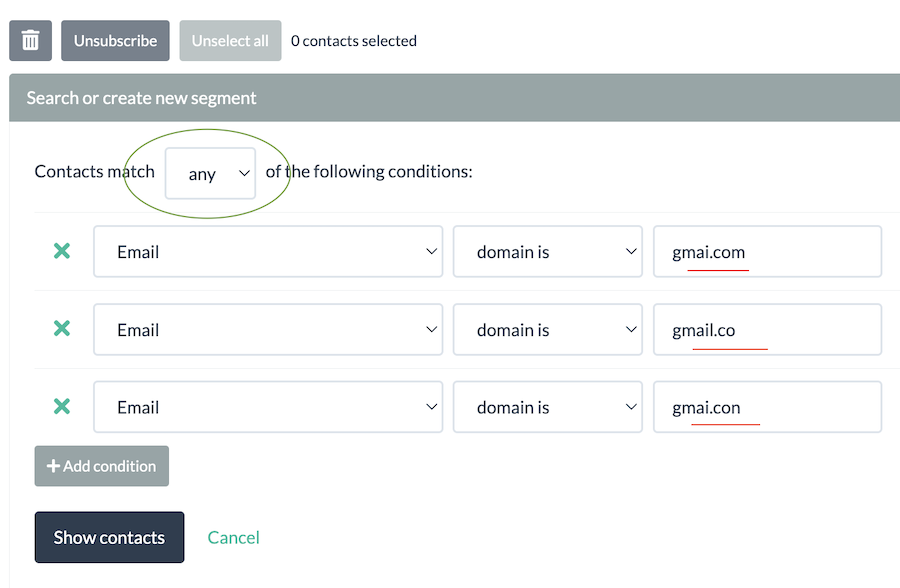
- use BigMailer built-in validation on list imports, form submissions, and APIs/integrations. BigMailer validation can identify and remove 95% of all typo domains and eliminate many spam traps from your lists
- only send email from address that can also receive email (mailbox providers can easily check if a domain has MX records, indicating ability to receive emails)
- make sure your unsubscribe link is easy to find and is neither using small font or pushed down with extra space from main content
- do NOT use different From label for the same email address, this is a spam tactic and is against guidelines from Google, Yahoo, and now Microsoft
Read more: Outlook’s new requirements for high-volume senders
February 2024
Google and Yahoo announced that some of the sender guidelines are going in effect in February of 2024. What does it mean for you? If you are a bulk sender, sending more than 5000 emails per day (and that’s 99% of BigMailer customers), then you need to make sure you adhere to the new guidelines if you want to inbox with Gmail and Yahoo.
Let’s go over the most notable guidelines:
- SPF, DKIM, and DMARC records on a sender domain are needed. You can use this tool to check your sender configuration. And here is an article on how to add DMARC record.
- You will need to be mindful of your complaint rates for Gmail (keep below 0.3%), which are not reported in BigMailer because Gmail doesn’t provide a feedback loop to mailbox providers. The only way to check your complaint rates in Gmail is with Google Postmaster tool. Setup an account and start monitoring if you haven’t already done so.
- 1-click unsubscribe is the most misunderstood guideline. Many think this means when someone clicks on an unsubscribe link in the email they should be instantly unsubscribed, but that’s not what it actually means. The actual unsubscribe links in the email body can’t be 1-click, like the list-unsubscribe header can. This is because some organizations use security bot scans and may auto open and auto-click links, which would result in erroneous and unintentional unsubscribe actions. However, the unsubscribe action should be 1-click AFTER a subscriber clicks on the link in the email – no login walls, no extra feedback required before the unsubscribe action. BigMailer now automatically includes the list-unsubscribe header, but Gmail may not always show the list-unsubscribe header to prevent abuse by spammers. Here is a Google support answer that explains this.
- Use a clear sender identity – don’t impersonate another brand and don’t use a misleading From label. Your sender From label and email should match the branding used in the email body. Using different From labels for the same email address is an example of a bad practice that can get you in trouble with mailbox providers.
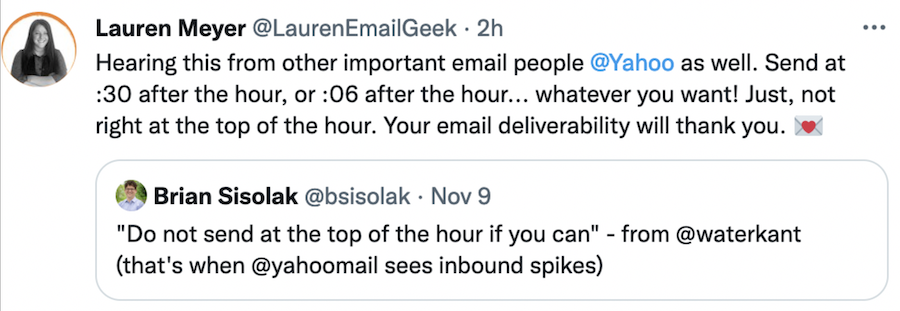
- Increase sending volume slowly and maintain a sending schedule without big spikes in volume. If you haven’t used your list in a while, you should start with smaller volume and add 25-30% per day, and avoid big jumps in volume (it may indicate inorganic list growth via a list purchase). If you send infrequently, it would be best to split up your updates into segments sent over multiple days, rather than sending to your entire list once a month or bi-weekly.
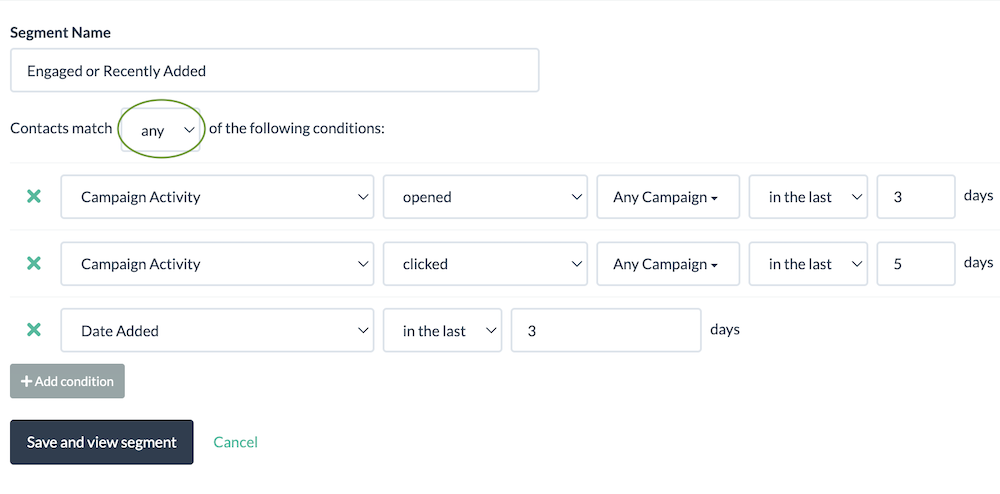
- Have a policy for dealing with inactive subscribers. You don’t have to delete them (a sunset policy), but you should reduce your sending frequency to inactive subscribers to continue inboxing. Remember, inactive segment is where a lot of the spam traps are hiding and sending to spam traps can damage your sender reputation.
- Adhere to US CAN-SPAM law (no misleading subject lines, mailing address in the footer, must include unsubscribe link).
- A sender is responsible for verifying a subscriber email before sending. BigMailer now includes built-in email verification on the list import step, embedded forms, and API calls (add, upsert).
If you would like to read more we suggest to review Google’s Email Sender Guidelines.
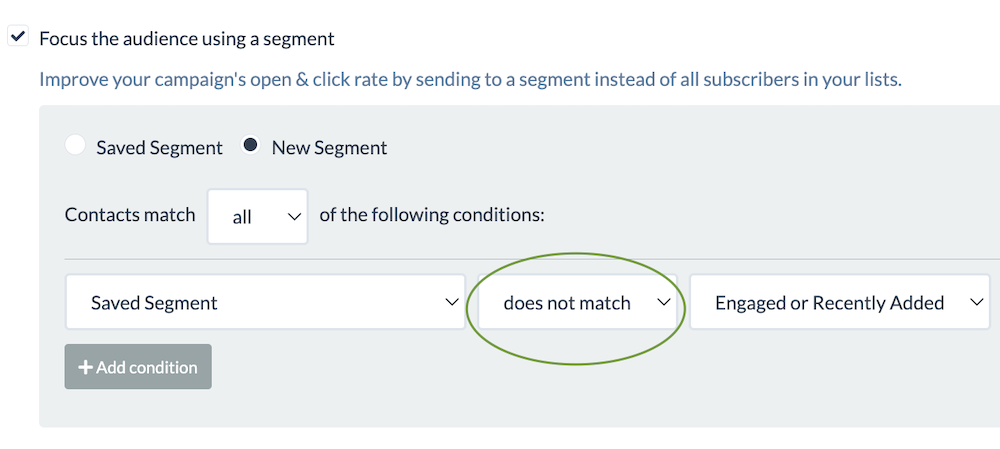
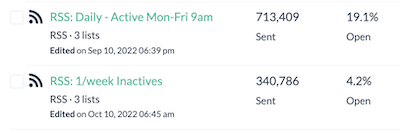
What is an inactive subscriber? The definition of inactive would depends on your sending frequency. If you send daily, then inactive subscriber is someone who hasn’t opened any of your emails in more than 2 weeks (think a typical vacation). However, we would recommend to exclude anyone who hasn’t opened in 5-6 days from your daily schedule, to ensure better inboxing. Just send to your inactives weekly instead. If your segments are setup correctly, your inactives become actives automatlicallly as soon as they open any of your emails with no additional work from you.
Looking to improve your deliverability and inboxing? Consider sending less frequently to your inactives. Here is an article on advanced deliverability and inboxing tips that describes tactics for managing inactive subscribers.
FAQ: Is my account automatically compliant if I use BigMailer?
If you are sending with BigMailer, you already have a DKIM record in place and list-unsubscribe headers are added automatically. If you are using SES to send emails in BigMailer, you can check if your sender has SPF and DKIM records by going to your SES page (Account link in the header > SES in the menu) and click on a region name if you use more than one.
Use MX Toolbox tool to check your DNS records once they are added – if you don’t see them they may have been added in a wrong place/provider. The tool will also show you where DNS records for your domain are actually stored.
Still have questions about your account readiness? Log into your BigMailer account and reach out via live chat.
Happy email marketing!

by Lilia | Apr 18, 2024 | Announcements
We are pleased to announce that BigMailer customers can now grow and monetize their newsletters with SparkLoop, the #1 newsletter recommendations platform, using a direct integration.
What Can Sparkloop Do?

Sparkloop allows you to grow your lists and monetize via recommendations and you have many options to choose from.
- Grow your list by partnering with other relevant newsletters and promote each other
- Allow your subscribers to use their referral list to promote you and offer incentives
- Monetize by offering paid recommendations to your new subscribers
- Add paid recommendations directly into your newsletters
- Get your newsletter promoted by others, and only pay for engaged subscribers that meet your criteria.
How Do I Get Started?
The first step is to create your account with SparkLoop here, then connect to BigMailer using an API key and Brand ID.
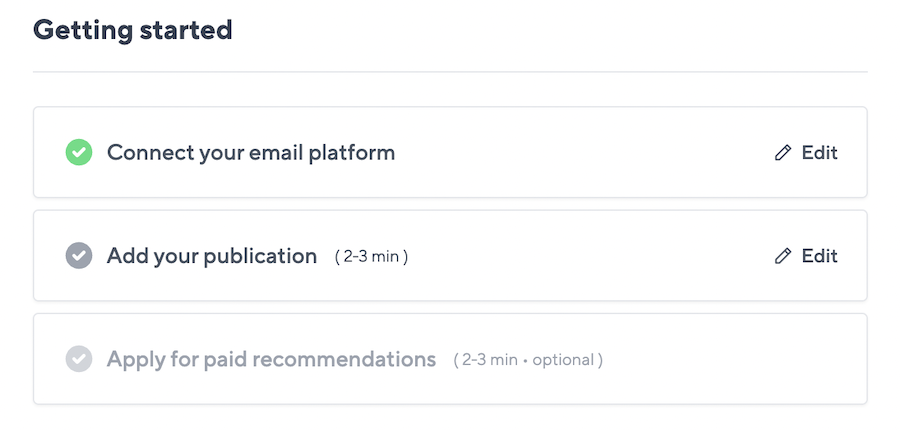
You will need to create a new API key to use for this integration and select what actions are allowed. Select options to create/update/upsert Contacts, list/get/create/update Lists, list/get Brands, and list/get/create/update Fields (this one is only needed if you plan to run a referral program for your subscribers).
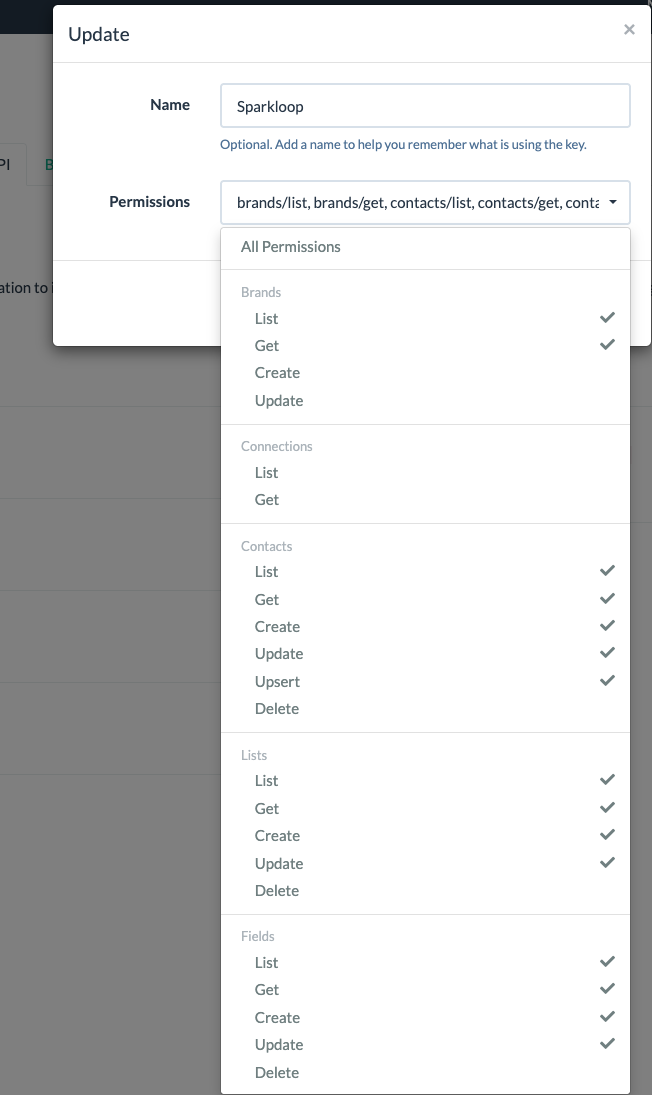
You can copy your brand ID by going to your brand settings page, you will see the ID in red text at the top of the page, below the brand name.
Choose Your Program
SparkLoop offers you a few options to grow and monetize your newsletter.
Grow Your List
You have 3 options to grow your subscriber list:
- Run a Referral Program, or
- Partner with another newsletter for free recommendations (via Upscribe)
- Get your newsletter promoted by others.
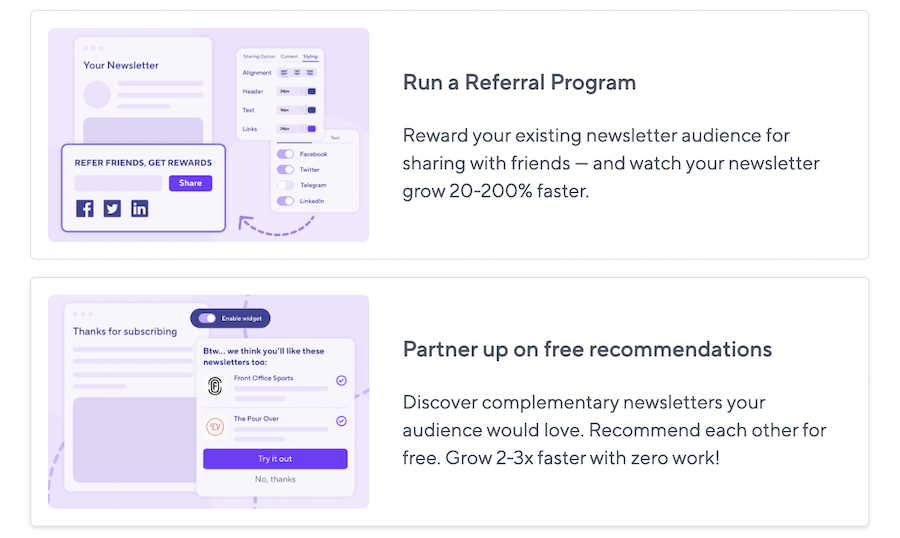
If you decide to run a referral program make sure your API key allows managing your fields, because your entire list will get updated so each subscriber can have their unique referral code stored.
Monetize Your List
You have 2 monetization options:
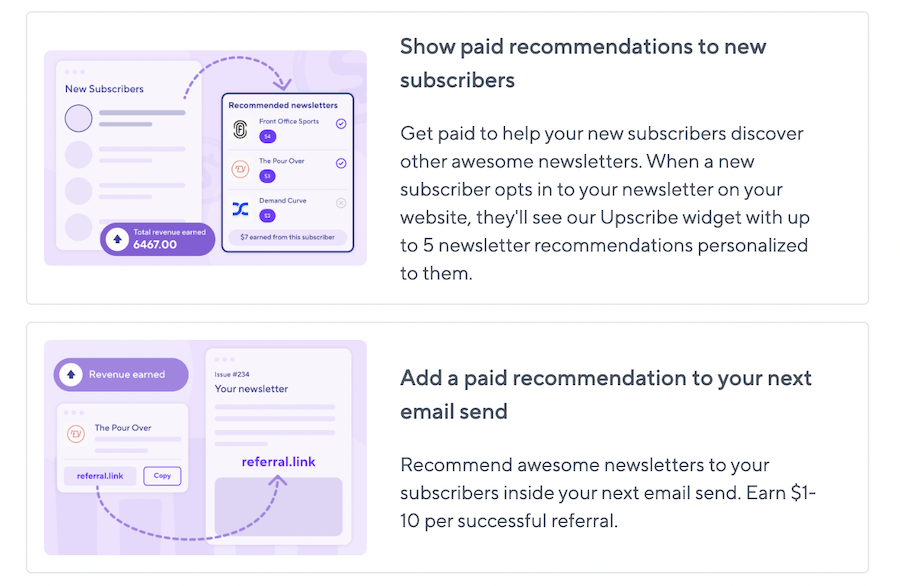
- Show paid recommendations to new subscribers via Upscribe feature – this is the most popular option for BigMailer customers
- Add paid recommendation links into your newsletters
We would love to hear about your success with SparkLoop, so please reach out and share. We may even feature you on one of our landing pages or emails.
Happy email marketing!
by Lilia | Feb 21, 2024 | Email Marketing, Provider Comparison
Email deliverability has been a hot topic for marketers for quite some time. With mailbox providers getting more aggressive about their spam blocking and filters, inbox placement has become a priority issue for many marketers to address. To protect their email deliverability, marketers need to implement email verification as part of the pre-campaign routine. In this article, we are comparing a few email verification service providers to help you find the one that will keep your email list clean.
Why Verify Your Email List?
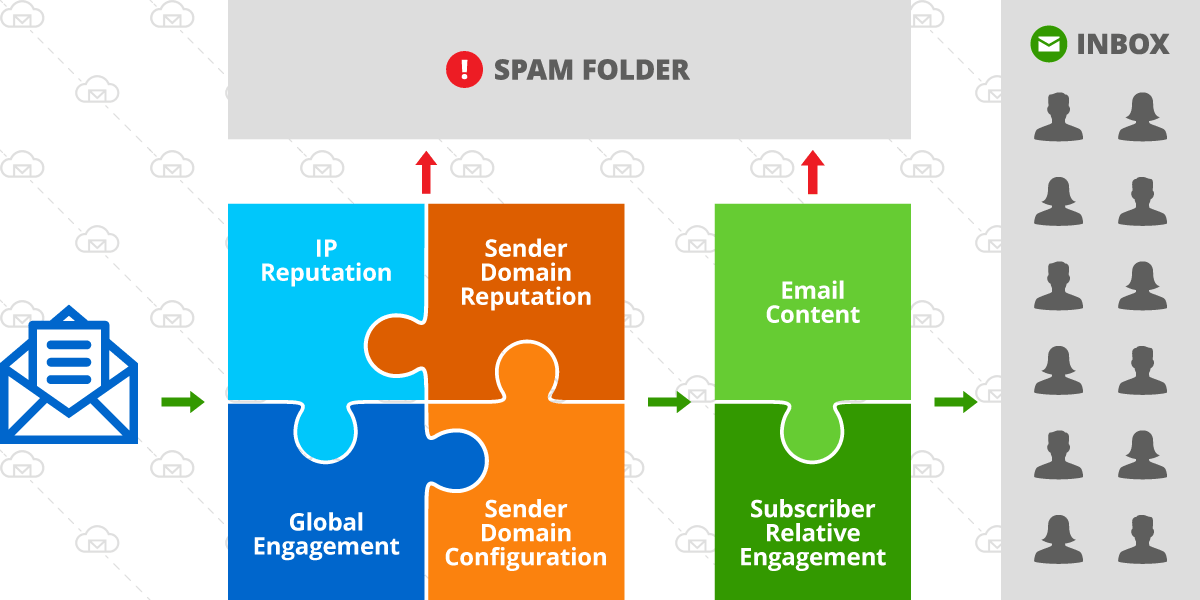
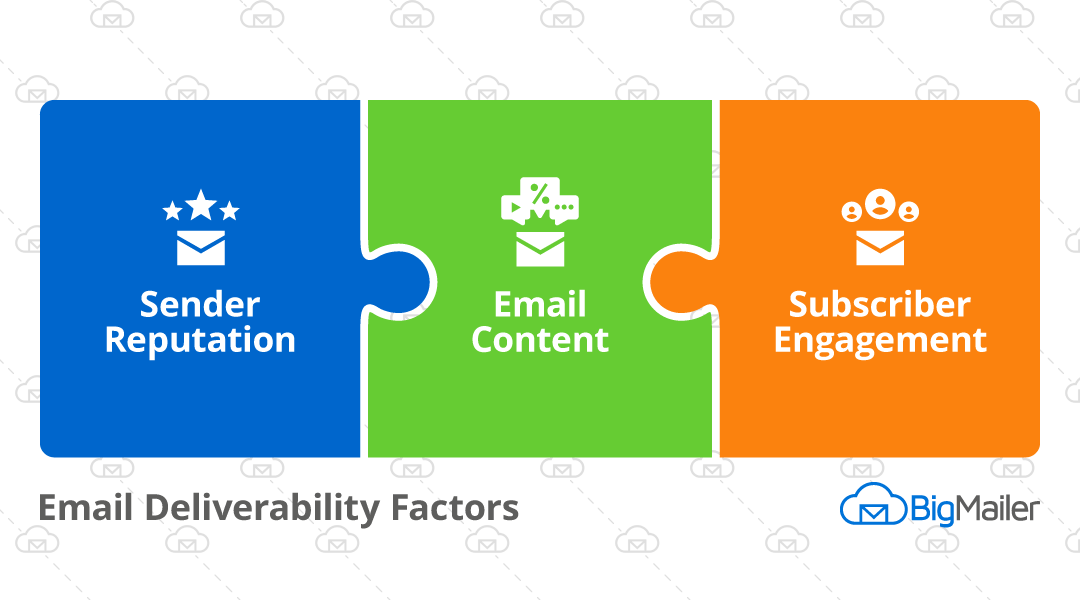
Email deliverability is a complex topic, but it comes down to 3 things:
- Sender reputation, this includes sender email/domain as well as IP address it sends from.
- List and content quality.
So deliverability is strongly correlated to your sender reputation and hard bounce rate is one of the factors affecting it. With high hard bounce rates sender reputation takes a hit. If you don’t implement any actions to reduce your bounce rate it can negatively impact your inbox placement.
The older your list, the more invalid email addresses you will have and the higher the bounce rate. This is because all email lists decay naturally, with B2B lists having a faster decay rate due email deactivation after job switches. An average email list decays at a rate of 2% per month for B2C lists and 3% for B2B lists. So if an email list hasn’t been engaged in more than 3-4 months it can have more than a 10% bounce rate on the first bulk campaign.
Risk of Account Suspension with Your ESP
A bounce rate over 10% can result in getting an account suspended on many email platforms, in addition to causing long-term damage to your sender reputation. Amazon SES can auto-suspend your ability to send emails if a bounce rate is over 10% and your sending volume allows for statistical significance (at least 5k/day). This is especially true on new accounts, without a long history of healthy sending with any given provider.
BigMailer customers can use built-in email verification during the list import as of February 12, 2024.
About Catch_all and Accept_all emails
Email verification will also prevent you from sending your campaign to disposable (aka temporary) emails as well as emails that domains set up as catch_all. Disposable emails are often used by spammers and fraudsters. Once created they usually are valid for around 48hrs, and later become invalid emails that will generate hard bounce. Catch_all also known as Accept_all emails, is an address that is specified to receive all messages that are addressed to an incorrect email address for a domain. The risk with such emails is that it might seem to be valid, however, it could still generate a hard bounce. By using email verification you will be able to establish which of the addresses are set up as catch_all, but you won’t learn if it is deliverable or not. The decision to message such addresses should be based on the overall quality of your list.
Email Bounces and Cost
There is of course a budget factor – email verification can save you money. Sending your campaign to undeliverable or risky addresses via your ESP’s or marketing platform can generate extra costs, with no chance of generating any return on investment (ROI).
Verification Process and Results
In a typical verification process you upload a CSV file and once validation is complete you see stats on the results and options to download your verified list. Most verification services produce at least these 4 statuses:
- Deliverable – these emails are safe to send to
- Undeliverable – these addresses no longer exist and should not be sent to
- Risky – these emails are likely to result in a high bounce rate (often catch-all addresses)
- Unknown – these emails couldn’t be verified so may result in high bounce rate.
If your email verification provider allows it, you should download Deliverable, Risky, and Unknown as separate lists and upload them as separate lists into your email marketing platform. If you are starting fresh with a new service provider you should ONLY send your 1st campaign to Deliverable addresses only, to ensure the lowest possible bounce rate. This is because many providers move you onto a shared IP pool tier that correlates to your 1st campaign or campaigns sent in the first 1-2 days.
On average, email lists identified as Risky or Unknown by email verification providers result in 30% bounce rate, so they should be slowly added into large bulk campaigns overtime, to finalize verification through sending.
While bounce rate below 10% will not result in you getting banned from an email marketing platform your goal should be to keep bounce rate below 3% for best email deliverability.
Choosing an Email Verification Service
There are a lot of email verification services available, and it might be overwhelming when searching for the right one for the first time. There are several methods used by providers to verify emails so there is a small variation in results and accuracy. We find that the difference in accuracy is fairly small – around 2% – while the cost can vary x2-5.
For this comparison article, we are focusing more on affordable providers we have evaluated as potential partners. BigMailer is a very affordable email marketing platform, so it was important for us to continue to offer our customers great value when integrating a 3rd party email validation service.
Other factors that we considered besides cost are: security and GDRP compliance, availability of robust APIs to process large data sets, possibility to run a test prior to purchase, and finally the team behind the service and support.
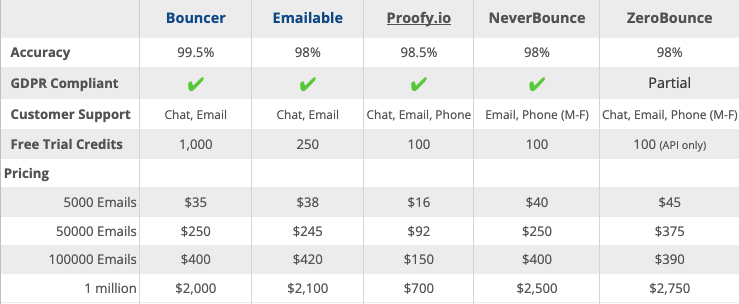
Below are the services we had reviewed and ranking factors we have checked for this article:
Last Updated: Nov 30 2025
As we were evaluating prospecting partners 2 services stood out (and we got you extra discount with both).
Bouncer
Bouncer has easy-to-use UI and very flexible data download options, making it our favorite. You even get options on what columns to keep or add to your final verification results, which can simplify your workflows post verification. These options are especially helpful for large list owners, since large data files can become a blocker for importing a list into an email marketing platform.
Bouncer offers you an option to run a free bounce rate estimate, which helps you decide if you need to verify your list. The estimate only takes a few min to generate and can be incredibly useful.
Bouncer team and servers are located in Europe so this can appeal to organizations in the EU region. Bouncer file upload limit is 500,000 emails or 30MB in file size. Get a 10% discount with this link.
Our favorite Bouncer feature is it’s toxicity check that’s included in the cost of email verification. We recommend considering any results with toxicity level 5 as unusable, that are likely to contain a high % of spam traps.
Emailable
Emailable offers good verification speed on large lists and 1500 free validation credits to BigMailer customers via this link only. Emailable file upload limit is 1 million emails and 100MB in file size, which can be useful for large list owners or lists with a lot of fields.
We also like Emailable Deliverability Monitor service – $149/month for up to 50 domains/IPs with 12-hr checks.
BigMailer
BigMailer customers can use built-in email verification with spam trap removal during bulk csv imports, enable on webforms or API calls. BigMailer email verification isn’t available as a standalone service (yet), it’s a benefit offered to BigMailer customers only at this time. The cost is lower than most providers we have reviewed and volume discounts are offered for purchasing 100k, 500k, and 1M credits.
About Spam Traps
Spam traps are used to identify and monitor spam email by Internet Service Providers (ISPs), anti-spam organizations, and blocklist operators. They are email addresses (also called honeypots) used to identify senders who aren’t following email best practices. If you either purchase your email lists or scrape email addresses from the web there is a good chance you have a lot of spam traps on your list. Even if your list is opted-in and verified you may still have typo spam traps.
If you are a BigMailer customer you can reach out to us to help you determine if spam traps are an issue for you. Not a BigMailer customer? Get started with a free account.
Happy email marketing!


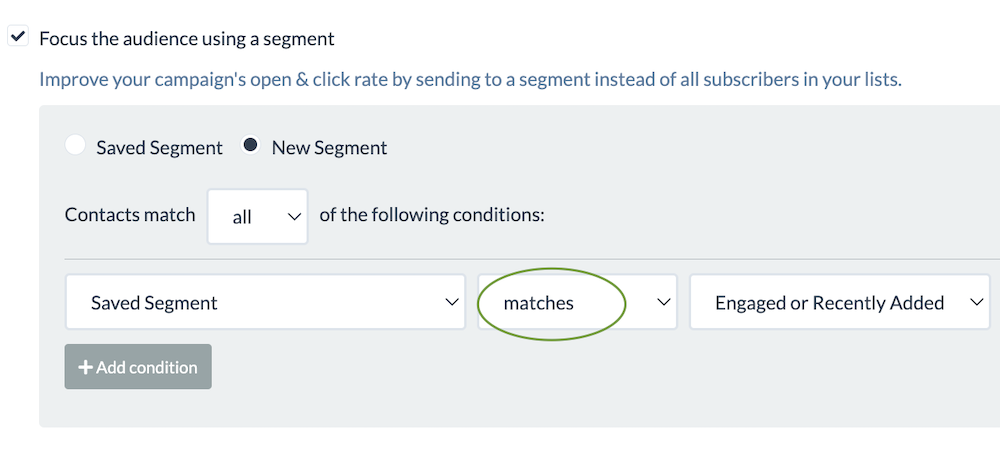
 Then you simply match that segment in your campaign: