
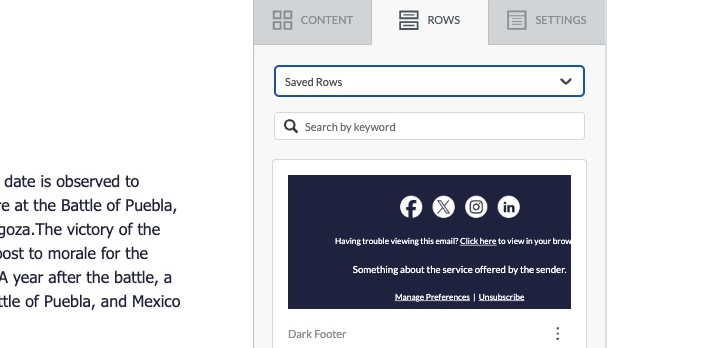
Live: Saved Rows
Saved rows feature allows saving reusable rows into a library and adding them into new templates to create template variations faster. This feature is only available in our drag-n-drop template editor and can be used when working with both email and landing page...

About Custom Tracking Domains
Before we explore setup of a custom tracking domain in BigMailer, let's clarify what is a tracking domain and how it is used. What is a Tracking Domain? In order for ESPs like BigMailer to track clicks on links in the emails, the links have to go through another URL...

About BigMailer White Label
White labeling BigMailer platform offers several benefits, but comes with a few options. This article helps you understand if BigMailer white label matches your needs and what kind of work your team may need to do to set up and on-board users. NOTE: BigMailer...

How to manage Brands on BigMailer
BigMailer is a platform designed and built for managing multiple brands, which benefits digital marketing agencies, email marketing consultants, franchises, multi-location businesses, and large companies that own multiple brands. Some email marketing service providers...
How to Segment Your Email Lists
What is Segmentation and Why Use It? Email list segmentation is a technique that email marketers use to send highly targeted emails by dividing their list up into smaller groups, or “segments.” The goal of segmentation is to provide more relevant content to your...
How to Setup an Automation (Drip) Campaign
There are many terms used by marketers to describe automated emails - marketing automation, auto-responders, drip emails, email sequences, and more. Whatever you call your automated emails, BigMailer supports them. While RSS to email and transactional (via API calls)...

How to Add Webforms to Your Site or WordPress
You can use BigMailer webforms to collect emails and any other subscriber data completely for free. You only have to subscribe and pay when you start sending emails above the limit on a free plan. This article outlines how to use BigMailer forms on your site, but you...

How to Create a Zapier Integration
Using a Zapier integration you can connect BigMailer to hundreds of other platforms and applications. You can sync up your customer records with a CRM or another ESP, or add records to BigMailer when you acquire subscribers or customers in other platforms. Below is a...

How to Export and Delete Contacts
There are many reasons why you may need to export your lists or segments, let's review most common use cases and best approach. GOOD. Identify and delete unengaged contacts. This is a good practice - removing unengaged emails (e.g. anyone who hasn't opened your emails...

How to Manage High Volume Sending and Protect Sender Reputation
Experienced marketers know that smart volume management is part of the sender reputation management, especially for high volume senders. If your list is smaller than 5000 emails, then this isn't something you need to worry about and as long as you build your list...