CREDIT: Content for this post is based on a report generously shared by Sprout24 and provides a detailed analysis of incidents using publicly available data, historical trends and logical estimation.
Email remains the digital channel with the widest reach. Statista reports that there were 4.6 billion email users in 2025, projected to reach 4.89 billion by 2027.
Performance benchmarks are shifting under the weight of privacy protections and engagement filtering. A consolidated research dataset from VerifiedEmail (January 2026) notes that open rates declined from 48.69 % in 2022 to 26.9 % in 2025 due to Apple Mail Privacy Protection (MPP). Average click‑through rates (CTR) across industries sit around 2.0–3.2 %, with click‑to‑open rate (CTOR) near 5.6 %.
Deliverability now requires more than technical configuration. It has become a cross‑functional discipline spanning marketing, engineering, product and legal. Major mailbox providers now evaluate engagement, consent, and user experience across the entire customer lifecycle.
Outlook Rate‑Limiting Crisis 2026
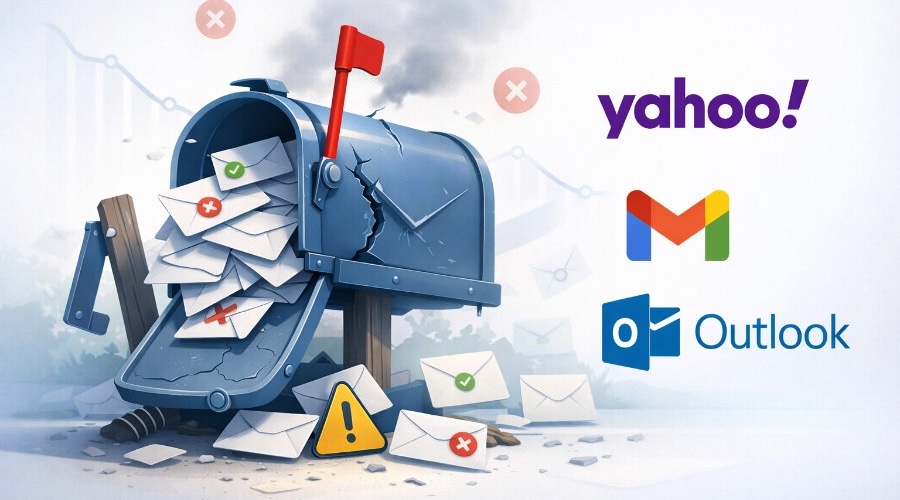
This year, Microsoft consumer email infrastructure malfunctioned, exposing the fragility of email delivery at scale. Starting around 23 February 2026, thousands of operators across senders, hosting providers and marketing platforms began receiving temporary 451/421 errors. Most common message (451 4.7.650 S775) cited IP‑reputation issues even for long‑standing, authenticated IPs. Within hours, reports of deferred mail flooded Mailop mailing list, Email Geeks Slack, Reddit and Microsoft own forums. This outage affected outlook.com, hotmail.com and related consumer domains but not Microsoft 365 enterprise tenants. Microsoft acknowledged the issue only after senders documented the wave and by 25 February queues began draining. Despite the fix, marketers continue to encounter “421 rate‑limit” responses after 1 March 2026.
Deliverability professionals observed lingering 421 rate‑limit responses, especially following volume spikes or changes in sending patterns. Microsoft guidance on 451 4.7.500–699 error codes indicates that these temporary failures occur when a source IP suddenly sends a much higher volume than its historical baseline. This filtering technique (greylisting) treats new or irregular senders with suspicion; as normal patterns resume, the throttling should lift. In early March 2026, however, even domains sending fewer than 2 000 emails per day experienced deferrals, suggesting that Microsoft algorithm had become more sensitive to even small volume deviations. The lack of transparency in Outlook feedback loop leaves legitimate senders without a direct path to resolution-one support ticket simply referred an ESP back to its certification provider.
Causes and contributing factors
- Adaptive filtering and IP reputation – Microsoft IP‑level greylisting triggers when a sender volume deviates from established patterns. The February incident appears to have mis-calibrated the Protocol Filter Agent, causing false positives on trusted IPs. Once corrected, these filter remains sensitive; even small spikes from domains with low baselines (<2 k mails/day) can prompt temporary 421 deferrals.
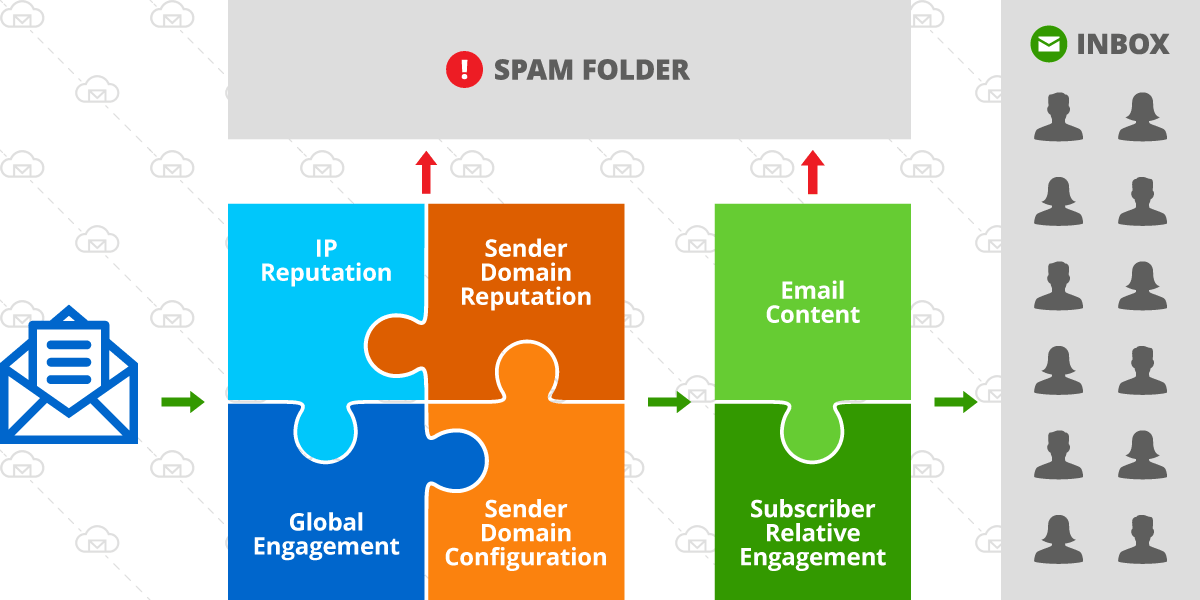
- New deliverability standards – Enforcement of the 2024–2026 Gmail/Yahoo/Microsoft rules means that mail lacking SPF, DKIM, DMARC alignment, one‑click unsubscribe or low complaint rates now faces immediate throttling. Senders who are not fully compliant may have been disproportionately affected.
- User experience signals – Providers evaluate engagement, unsubscribe behavior and complaint trends. High bounce rates, spam complaints or poor list hygiene can degrade reputation, making accounts susceptible to rate limiting even at low volumes.
- Infrastructure instability – The February event coincided with a period of broader mail‑infrastructure stress across major providers. Industry commentary notes simultaneous glitches at Gmail and Yahoo. Microsoft decision to cancel its rigid 2 000‑recipient limit and adopt “smarter, more adaptive approaches” suggests that the company is tuning algorithms in production, which can inadvertently catch legitimate senders.
Niche considerations
B2C marketing: Consumer‑facing brands rely heavily on outlook.com and hotmail.com addresses. Rate limiting in February halted transactional notifications (password resets, purchase confirmations) and promotional campaigns. Industries with high seasonal spikes are especially vulnerable to greylisting. Mitigation involves smoothing send patterns and pre‑warming infrastructure ahead of peak periods.
B2B and SaaS: Most corporate recipients use M365, which was largely unaffected. However, B2B SaaS firms often send onboarding emails to consumer addresses. They must ensure compliance with bulk‑sender rules and consider alternative channels (SMS or push notifications) for critical messages.
Transactional vs promotional mail: Transactional emails often trigger small volume spikes. Outlook sensitivity to volume changes means even legitimate password resets or two‑factor codes can be deferred. Using separate domains/IPs for transactional and marketing traffic can help maintain consistent patterns.
Top Recommendations
1. Maintain technical compliance – Ensure SPF, DKIM and DMARC records are correctly configured and aligned with the visible “From” domain. BigMailer customers should also configure a custom tracking domain for extra optimization.
2. Warm up and smooth sending patterns – Microsoft greylisting triggers when volumes spike. Gradually increase sending volumes when launching campaigns or onboarding new IPs. Avoid large batch sends; instead, spread sends over a few hours. For seasonal promotions, begin sending lower‑volume messages several weeks in advance.
3. Optimize sending time – avoid sending too close to top of the hour, especially around 7am, 8am, 9am, 10am EST. Your campaigns should complete sending before top of the hour or start 5-10 after. Top of the hour and 5-10 min after the rejection rates and delays tend to be higher.
4. Maintain list quality – don’t skip email validation, avoid sending to invalid or inactive email addresses, typos, and spam traps.
5. Segmentation and micro‑targeting – Segmentation reduces complaint rates, improves click rates, and can help smooth out volume, mitigating rate‑limit triggers. See how to setup segments for active subscribers in BigMailer in this advanced deliverability optimization article.
NOTE: Complaint rates marketers see in their ESPs are not what ISPs (mailbox providers) see.
Source: Green Arrow
ESPs don’t have data on inboxing, so they can’t show you the inbox spam complaint rates. So if you see complaint rates in orange in BigMailer, the rates on the ISP side are likely much higher and not healthy.

Conclusion
February 2026 Outlook crisis exposed the vulnerability of even well‑managed email programs to sudden infrastructure changes. Microsoft aggressive rate limiting ensnared large and small senders alike, demonstrating that adaptive filtering can misfire. Although the acute disruption resolved within days, persistent 421 deferrals since March signal that Outlook algorithms remain extremely sensitive. Navigating this environment requires technical compliance, behavioral consistency, and proactive monitoring.